
Every site has to live somewhere. For a while I didn’t think much about where — I had GitHub Pages, it worked, and that was enough. But when this site grew — more pages, two languages, image processing, a full blog with search — I realized the deployment platform deserved the same deliberate choice as the framework.
The GitHub Pages Years
I’ve been deploying static sites to GitHub Pages for a long time. Community sites, side projects, documentation. Connect the repo, write a GitHub Actions workflow, push to gh-pages. It always worked.
When I started building this site on Astro, GitHub Pages was the obvious first instinct. I already had the workflow templates. I already knew the gotchas. Path of least resistance.
But I stopped. Not because GitHub Pages had failed me — it hadn’t. But because this site had more moving parts than anything I’d deployed there before. I wanted to choose rather than default.
Evaluating the Options
I had one hard requirement: free. This is a personal site. I’m not paying a monthly hosting bill for a static blog.
GitHub Pages was what I knew. It works fine for the basics, but the friction points add up. No preview deployments per branch — every PR required merging to see the result live. DNS with a custom domain meant configuring CNAMEs with an external provider and waiting for propagation. The build pipeline is entirely on you — you write the YAML, you debug the failures. And it has a legacy bias toward Jekyll that shows up in details like the .nojekyll file or the branch-based deploy model.
None of that was fatal on its own. Together, it was friction I was accepting out of habit.
Netlify looked good, but the build minute limits on the free plan made me want to see the full landscape before committing.
Vercel I already knew well — I’d deployed apps there before, including Astro projects with server mode. But for a purely static blog I didn’t need Next.js-optimized infrastructure. I wanted something simpler.
Then I looked at Cloudflare Pages. Unlimited bandwidth, 500 builds a month, unlimited previews, and you’re already on the Cloudflare network with everything that comes with it. I stopped looking.
The First Deploy
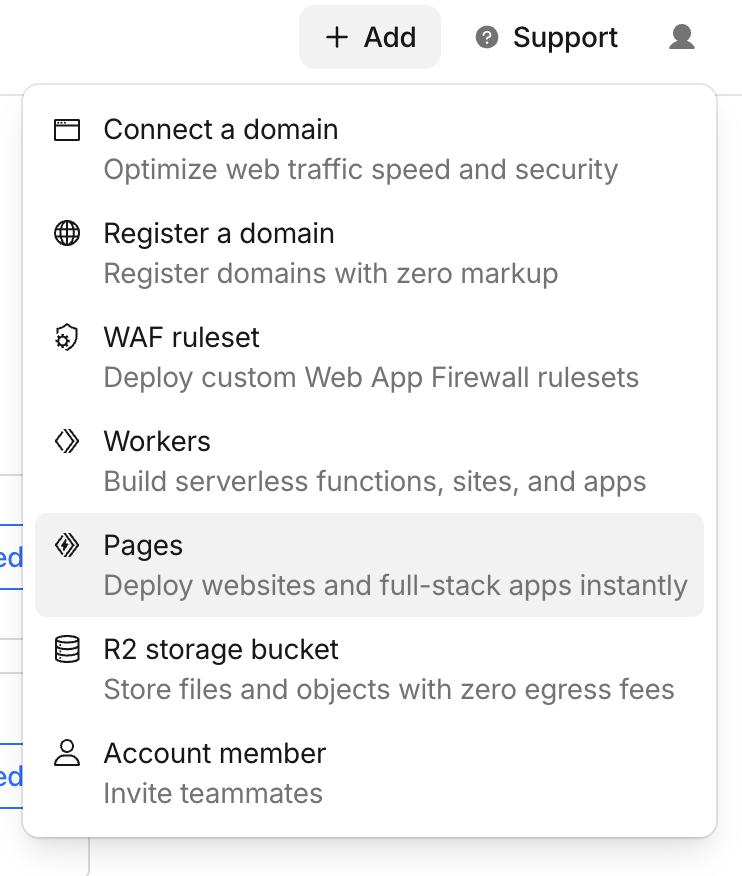
The process was ridiculously short. In the Cloudflare dashboard, + Add > Pages:
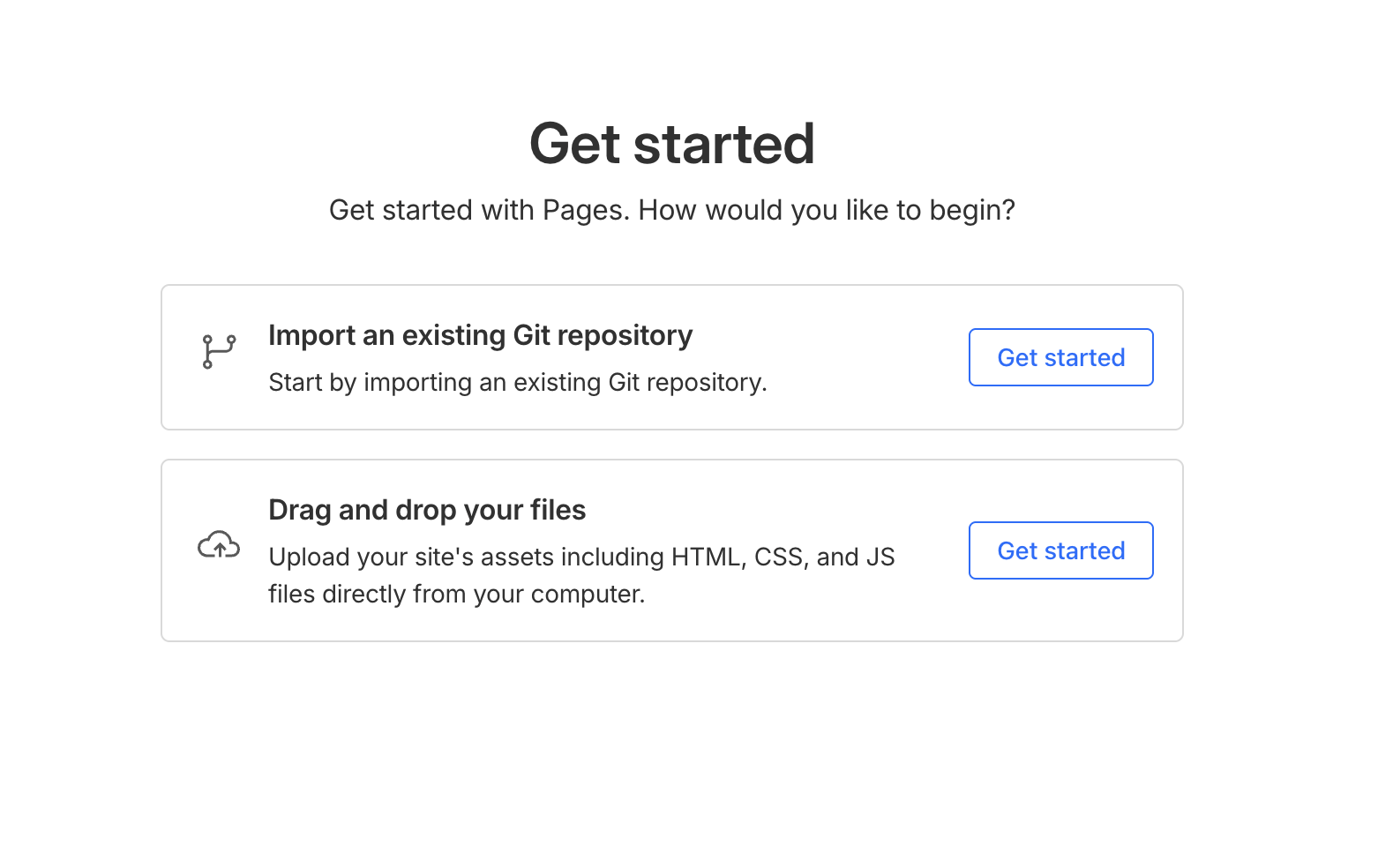
Two options — import a Git repository or upload files. The first one:
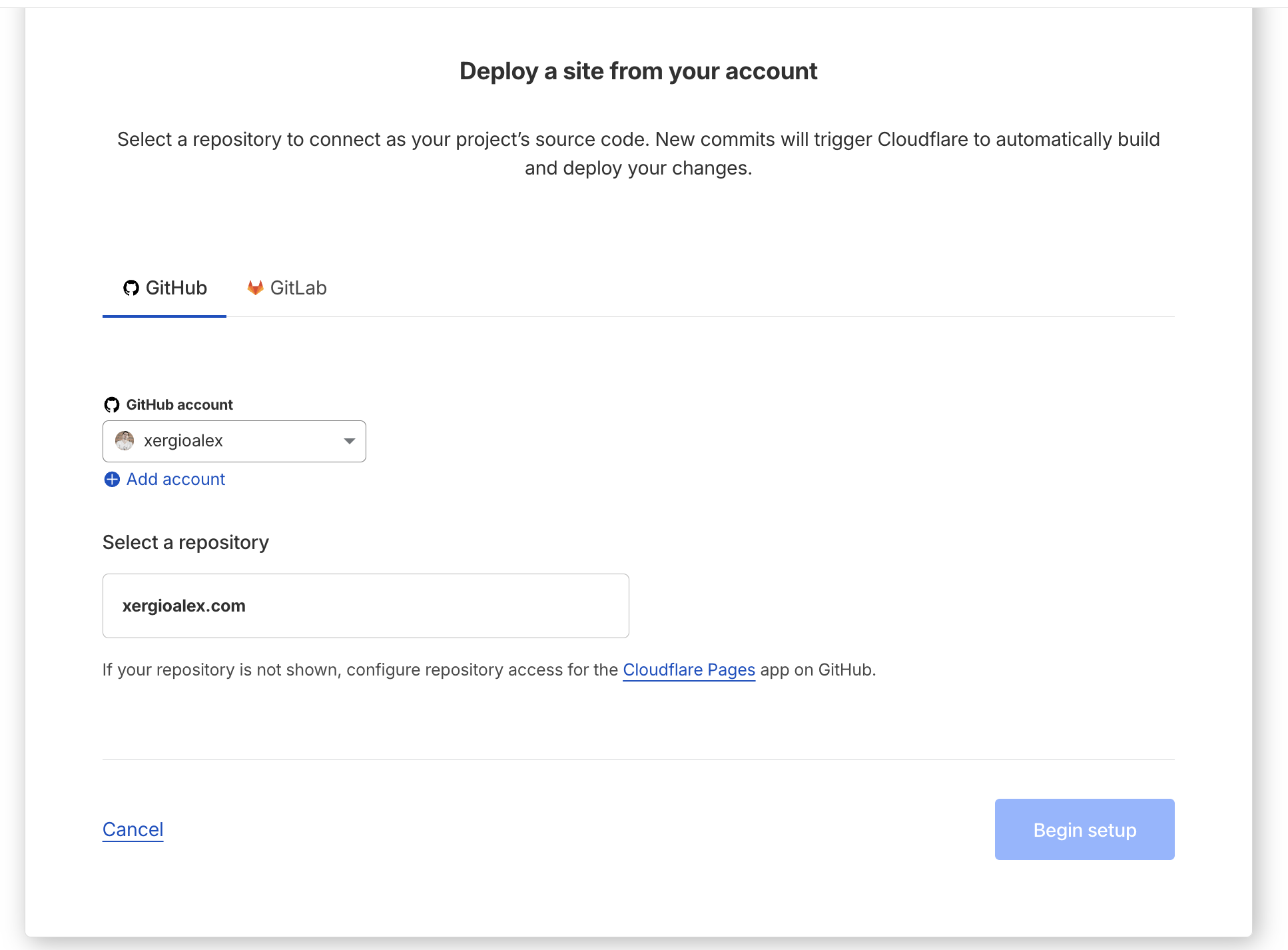
Select your GitHub account and the repository:
And here Cloudflare auto-detected Astro. It populated the build command, the output directory, the production branch — everything:
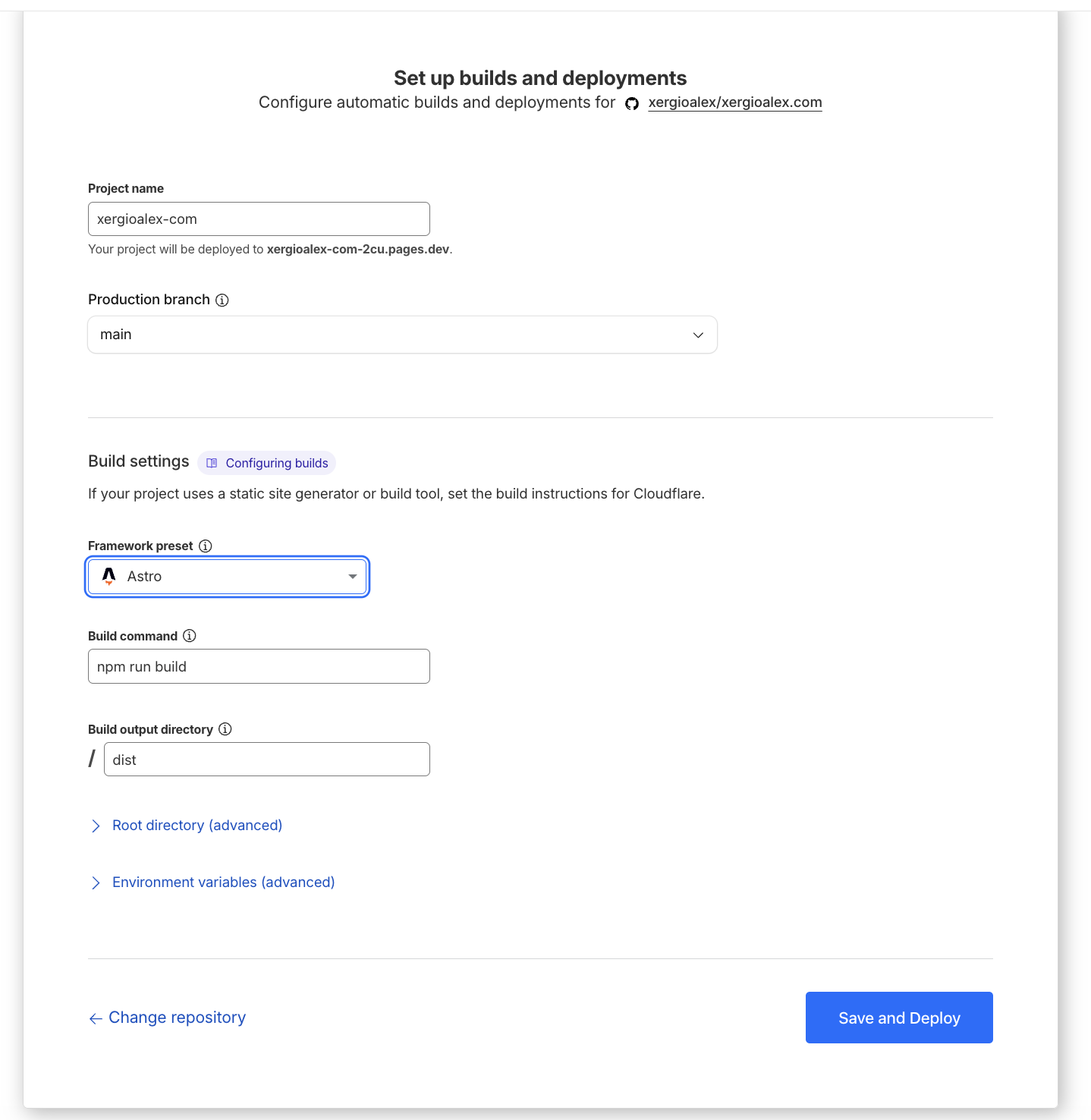
Click Save and Deploy. Forty seconds later the site was live on a pages.dev subdomain. That was it.
I didn’t have to write a new workflow to deploy. I still use GitHub Actions for versioning, and also to run tests and linters in CI — I always create pull requests against main and only merge if all validations pass. But the deployment itself is Cloudflare’s responsibility. I push code and the site updates. My previous projects needed 40-line workflows just for that.
The DNS setup was equally direct. I pointed the domain’s nameservers to Cloudflare, added xergioalex.com as a custom domain, and SSL was auto-generated. Everything done in under an hour — faster than I expected.
Honestly, it felt like what GitHub Pages should have evolved into.
What actually changed
The thing that impacted my day-to-day the most was preview deployments. Every pull request gets a unique preview URL. Before, my review process was: run npm run dev, verify locally, merge, hope the build was fine. Now I open the PR preview, verify in the actual deployed environment, merge. The “merge and hope” step is gone.
Another thing I didn’t expect: the functions/ directory is auto-detected and deployed as edge middleware. The platform I picked just because it was free turned out to have a programmable edge runtime built in.
What Comes Included
Something I didn’t expect: Cloudflare gives you a lot of things by default without you having to do anything. Web analytics are auto-injected at the edge — no scripts to add, nothing to configure in the code. SSL is auto-generated. DDoS protection is active from the start. The site is served from Cloudflare’s global network with no additional setup.
And environment variables are managed from the dashboard with separate values for preview and production. No .env files in CI, no secrets in the repository.
I didn’t go looking for all of this. I just wanted free hosting. But it’s there, and it shows.
Let’s keep building.
Resources

Stay in the loop
Get notified when I publish something new. No spam, unsubscribe anytime.
No spam. Unsubscribe anytime.