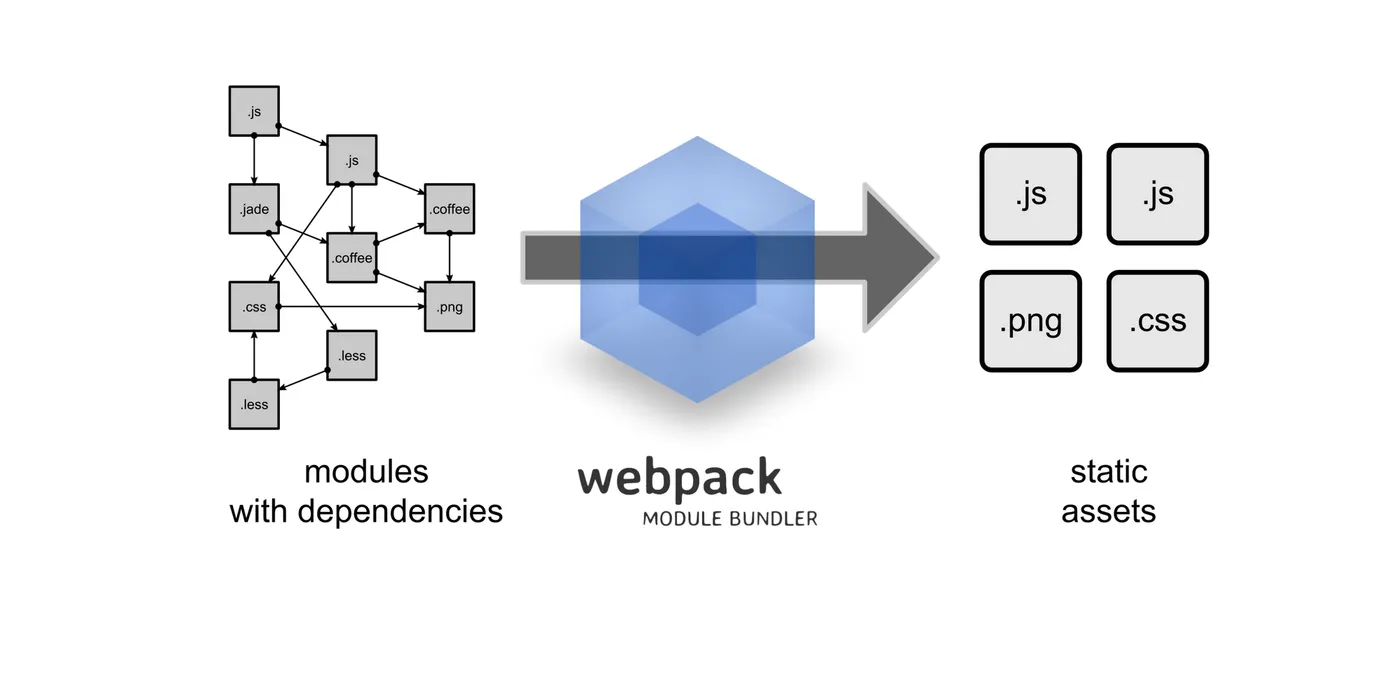
Webpack changed how we think about front-end builds. For this talk, I wanted to demystify the tool that many developers find overwhelming at first. Webpack isn’t just a module bundler — it’s a mindset shift. It takes modules with dependencies (.js, .css, .coffee, .less, .jade, images) and turns them into optimized static assets. Divide and conquer.
Ways to Use Modules in JavaScript
AMD (Asynchronous Module Definition) — Used with RequireJS. Loads modules asynchronously. Great for browsers, but verbose.
CommonJS — Node.js module system. Lets you make a single request with all the libraries you need. Familiar syntax, but synchronous.
Webpack brings the best of both worlds in one place. AMD + CommonJS. And above all: Webpack === Developer experience. That equation matters more than people realize.
What Other Tools Are There?
- Gulp and Grunt — Task runners. You configure the tool and it does several things for you: minify, transpile, compile code, etc. Grunt came first; Gulp improved on it, including speed.
- Browserify — Only lets you use
requirein the browser, bundling all dependencies. - Parcel — Often described as “Webpack fancy” — less config, more convention.
What You Need to Know to Configure Webpack
Entry Points
The main module where Webpack starts importing other modules. It’s the file Webpack reads to generate the bundle. You can have multiple entry points.
Output
Settings for the output file: where it goes, what it’s called.
Loaders
Help load all kinds of formats: images (jpg, png, gif), custom fonts, icons, and “dialects” like CoffeeScript, Stylus, Sass, or JSX.
Plugins
Extend Webpack’s features: compress files with Uglify, split modules into smaller chunks so the app loads faster.
Installation
npm i webpack webpack-cli --save-dev
# or
yarn add webpack webpack-cli --dev
Code and Examples
I shared examples from real projects:
- Jopmi Landing
- Bambú Alexa
- Beyond Campus Landing
- Beyond Campus Webapp
- Webpack Backend Example
- Webpack Frontend Examples
Webpack taught me that tooling is about more than automation — it’s about enabling better workflows. Yes, the config can get complex, but the payoff in developer experience and optimization is worth it. Understanding your build tool gives you control over how your code ships.
Let’s keep building.