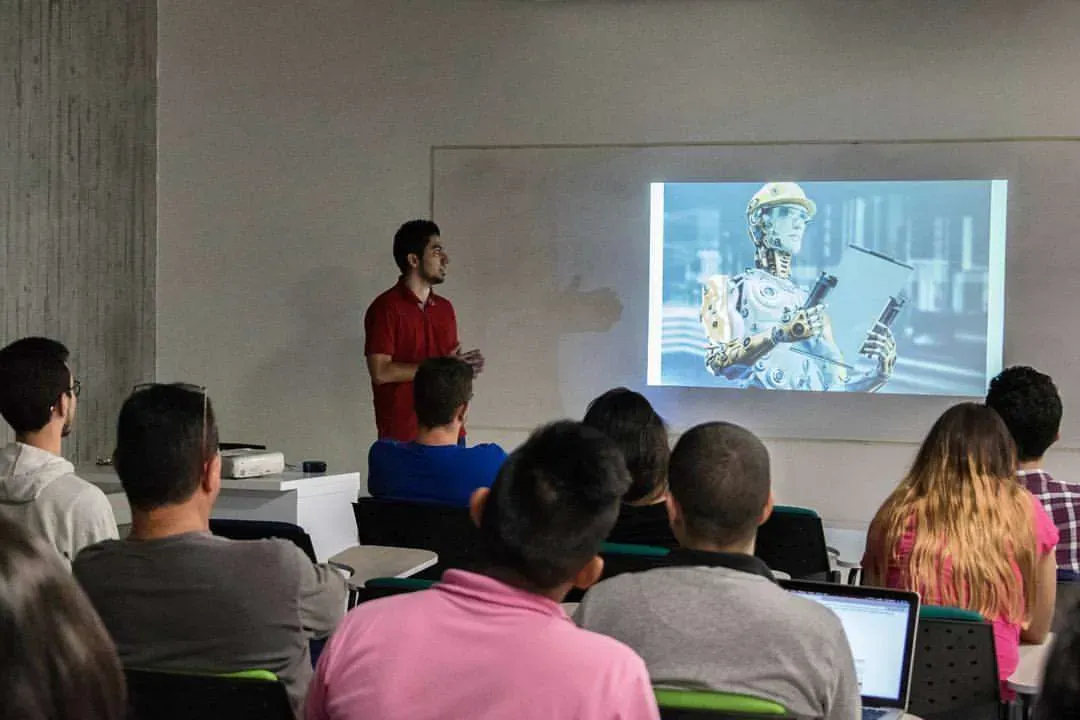
October 2017 was a milestone for Pereira’s tech community. After months of planning, we launched the first official Pereira Tech Talks meetup. The room was packed — developers, students, entrepreneurs, all curious about the future of technology. Two talks that night: Manuel Pineda on AirFlow (workflow orchestration for data pipelines), and me on TensorFlow.
I chose TensorFlow because I was obsessed with it. Google had open-sourced the library a couple of years earlier, and it was starting to power everything — image recognition, language translation, recommendation engines. I’d been experimenting with it for a few months, reading papers, running tutorials, and trying to wrap my head around how neural networks actually worked.
But here’s the thing: I didn’t consider myself an AI expert. I was a software engineer trying to understand a field that felt both intimidating and exciting. That’s exactly why I wanted to give the talk. If I could break it down into something understandable for myself, maybe I could help others get started too.
The goal was simple: explain what TensorFlow is, why it matters, and show people how to take the first step.
Why TensorFlow?
TensorFlow is Google’s open-source machine learning library. Google uses it across its infrastructure — in search, in Google Photos, in language translation. It’s designed for building models with neural networks using a data-flow programming model.
At the time, TensorFlow was the most popular ML framework in the world. It wasn’t the easiest (PyTorch was gaining traction for research), but it was the most production-ready. If you wanted to build something that scaled to millions of users, TensorFlow was the answer.
What fascinated me was the programming model. Instead of writing procedural code that executes line-by-line, you define a computational graph: nodes represent operations (add, multiply, matrix operations), and edges represent the flow of data (tensors). Then TensorFlow optimizes and executes that graph.
It’s declarative, not imperative. You describe what you want to compute, and TensorFlow figures out how to do it efficiently — distributing across GPUs, parallelizing operations, and optimizing memory usage. That shift in thinking was hard at first, but once it clicked, it felt powerful.
What I Covered
The talk was structured as an introduction — no assumed knowledge of machine learning. I started with the story behind TensorFlow: why Google open-sourced it, how it evolved from an internal system called DistBelief, and what problems it was designed to solve.
Then I dove into the core concepts:
Data Flow Graphs
Every TensorFlow program is a graph. Nodes are operations (like matrix multiplication or activation functions), and edges are tensors (multidimensional arrays) that flow between them. You define the graph first, then run it in a session.
At the time, TensorFlow 1.x used a define-and-run model. You’d build the graph, then execute it separately. (TensorFlow 2.x later introduced eager execution, making it more Pythonic and intuitive.)
Tensors
Tensors are the fundamental data structure. They’re generalizations of scalars (0D), vectors (1D), matrices (2D), and higher-dimensional arrays. Images are 3D tensors (height, width, color channels). Batches of images are 4D tensors.
Understanding tensors is key to understanding how neural networks process data.
Neural Networks
I explained the basics: layers of neurons, activation functions, forward propagation (how data flows through the network), and backpropagation (how the network learns by adjusting weights).
I used a simple example: recognizing handwritten digits with the MNIST dataset. It’s the “Hello World” of machine learning, but it’s a great starting point because you can see the network learn in real time.
Getting Started
Finally, I walked through installation, showed how to define a simple model, train it, and evaluate it. The goal wasn’t to make anyone an expert — it was to demystify the process and show that you could get started with a few hours of learning.
The Audience Reaction
The Q&A was the best part. People had so many questions: How much math do you need? Can you use TensorFlow for business problems? What’s the difference between TensorFlow and scikit-learn? How do you know when to use deep learning vs. traditional machine learning?
I tried to be honest: you don’t need a PhD to get started, but you do need to be patient. Machine learning is different from traditional software development. There’s more experimentation, more trial and error, and more time spent debugging why a model isn’t learning.
But the payoff is worth it. When you train a model and see it make accurate predictions on data it’s never seen before, it feels like magic. That’s what hooked me, and I wanted others to experience that too.
One person asked if I thought AI would replace developers. I said no — it would change what we build, but not the need for people who can think critically, solve problems, and design systems. That’s still true today.
Reflections
Looking back, 2017 feels like a turning point for AI. TensorFlow was maturing, PyTorch was emerging, and deep learning was moving from research labs into production systems. The hype was real, but so was the progress.
For me, this talk was the start of a deeper interest in AI. I kept learning — reading papers, taking courses, building projects. I didn’t become an ML engineer, but I gained enough knowledge to have informed conversations, evaluate AI products, and understand the trade-offs.
If you’re curious about machine learning, start with TensorFlow (or PyTorch, if you prefer). The barrier to entry has dropped dramatically. There are free courses, pre-trained models, and cloud platforms that let you experiment without expensive hardware.
The most important thing is to start. Build something small, make it work, then iterate. That’s how I learned, and it’s still the best way.
Slides & Event Reference
- View slides
- Pereira Tech Talks blog post — first meetup (AirFlow + TensorFlow)