Building Virtual Reality for the Web: A-Frame, Mazes, and 360° Galleries
I remember the exact moment it clicked. I was staring at a simple HTML file — not a Unity project, not a C++ engine, not an Unreal Blueprint — just an HTML file. I added a <script> tag, wrote a few custom elements, opened it in a browser, and suddenly I was inside a 3D room. I tilted my phone, slipped it into a $7 Cardboard viewer, and the room moved with me. Virtual reality. In a browser. From an HTML file.
The technology is called WebVR. The framework is A-Frame, built by Mozilla. And it’s about to become one of the most fun rabbit holes I’ve ever fallen into.
The promise: VR with just HTML
The VR landscape today has a problem. High-end headsets like the HTC Vive and Oculus Rift cost $400–500. Development required Unity or Unreal Engine — powerful but complex. The barrier to entry was high, both for creators and for users.
Then there was A-Frame. Mozilla’s open-source framework built on Three.js that let you create VR scenes with HTML-like syntax. No build step. No complex setup. If you knew HTML, you could build VR.
<a-scene>
  <a-box position="-1 0.5 -3" rotation="0 45 0" color="#4CC3D9"></a-box>
  <a-sphere position="0 1.25 -5" radius="1.25" color="#EF2D5E"></a-sphere>
  <a-sky color="#ECECEC"></a-sky>
</a-scene>That’s a complete 3D scene. A blue box, a pink sphere, and a gray sky. Open it in any browser and you’re looking at a 3D world. Click the VR button, and it renders in stereo for a headset. The simplicity was revolutionary.
Under the hood, A-Frame uses an Entity-Component System architecture borrowed from game engines. Entities are containers. Components give them behavior — geometry, material, position, physics. Systems manage global logic. It’s the same pattern that powers AAA games, wrapped in HTML.
The demos: exploring A-Frame
I didn’t just read about A-Frame — I built things. Over a few weeks, I created over 20 live demos on CodePen, each exploring a different capability:
Textures and animations
Applying images to surfaces with chained transitions.
Cursor events
Gaze-based interaction where looking at an object triggers actions.
Each demo was a building block. Each one taught me something new about how 3D environments work in the browser. And each one proved the same thing: the web is powerful enough for immersive experiences. You can find more demos in my CodePen collection.
The gallery: walking through 360° photos
The first and biggest project was a 360° photo gallery — a virtual room where you could walk up to panoramic thumbnails and click them to be transported inside the scene.
The concept was simple: load 18 equirectangular panorama images, arrange them as clickable thumbnails on a wall, and when someone clicks one, change the entire sky to that panorama. Suddenly you’re standing inside a 360° photograph, looking around in every direction.
<a-image src="#p1" position="-1.5 1.8 -4" onclick="show('p1')"></a-image>
<a-sky src="#p1" id="sky"></a-sky>
One line for the thumbnail. One line for the sky. A three-line JavaScript function to swap them. The entire gallery — 18 panoramas, interactive navigation, VR-ready — was a single HTML file.
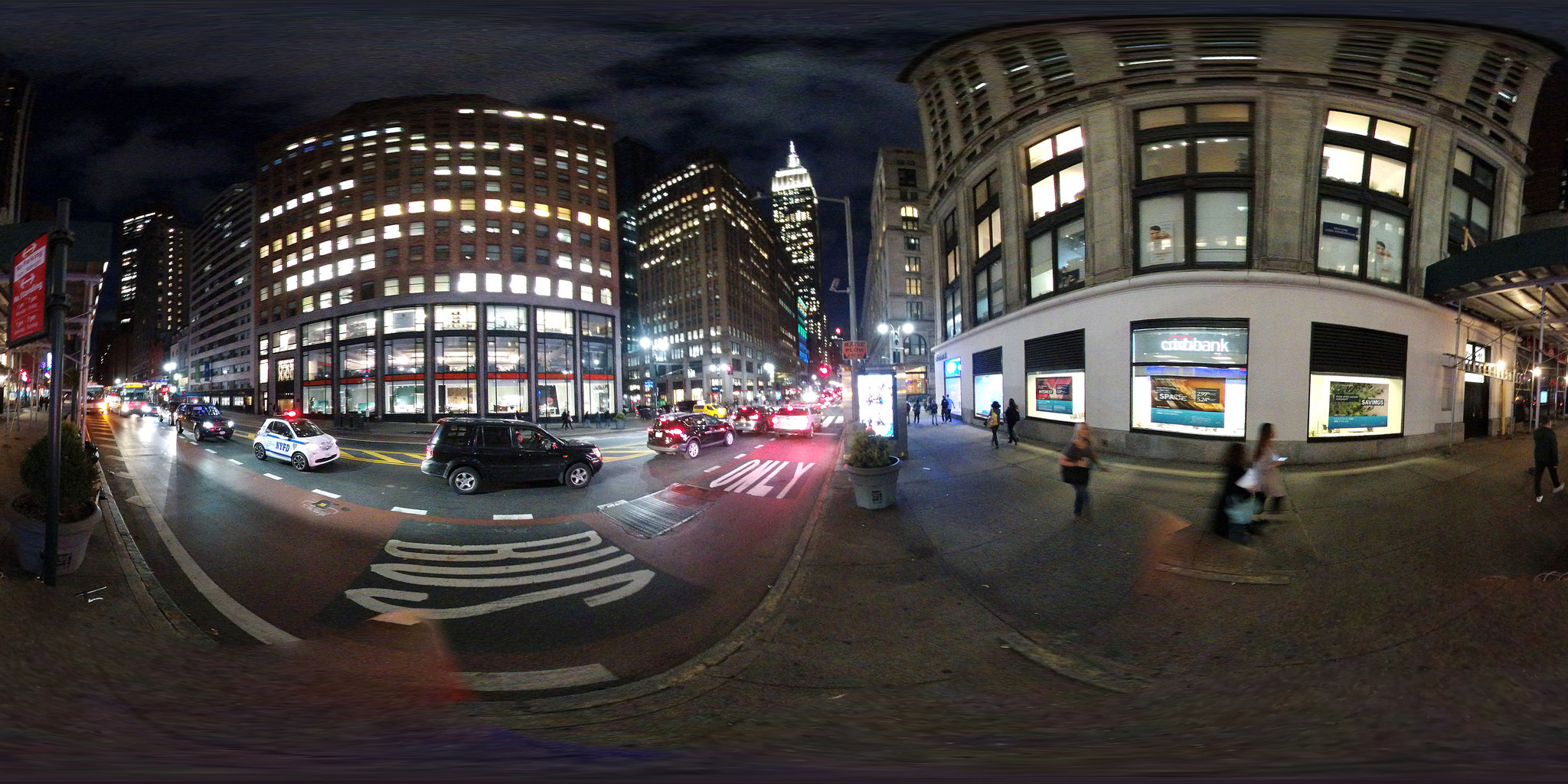
I added a floating, rotating cube with the PereiraJS logo as an easter egg, a gaze cursor for VR interaction (look at a thumbnail for 800ms and it activates), and camera controls for both desktop and mobile.
The gallery is still live: webvr-gallery. Open it on your phone, drop it in a Cardboard viewer, and walk through the panoramas.
The maze: VR game with collision detection
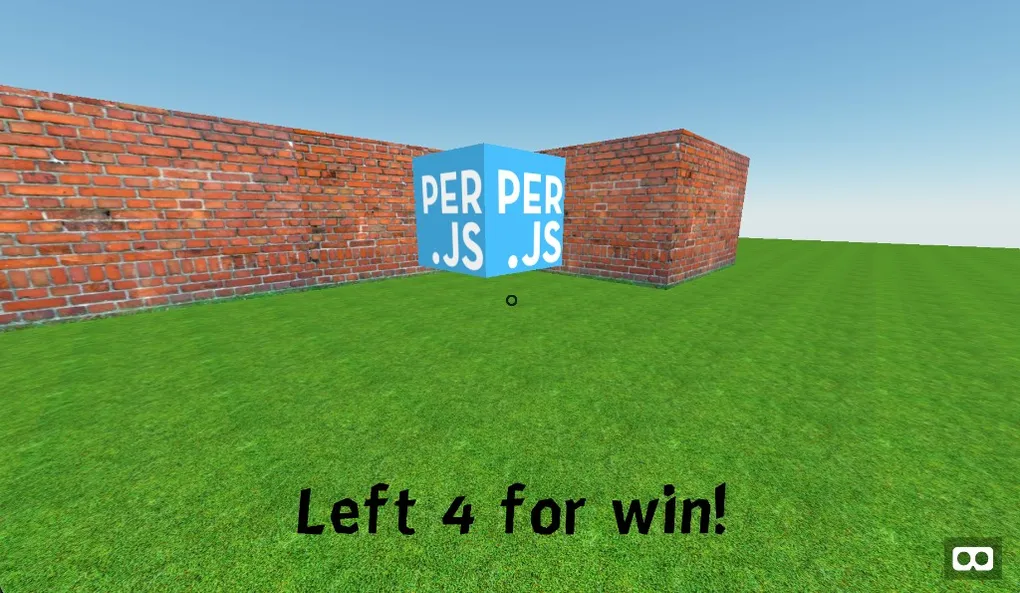
The second project was more ambitious — a navigable VR maze with physics, collision detection, collectibles, and a score system.
The maze was generated from a 2D array — the same technique used in classic game development:
var map = [
  [0, 0, 0, 0, 0, 0, 0, 0, 0, 0],
  [0, 0, 0, 0, 0, 1, 0, 0, 0, 0],
  [0, 0, 0, 0, 0, 1, 1, 0, 0, 0],
  [0, 0, 1, 0, 3, 0, 0, 0, 0, 0],
  [0, 0, 1, 0, 0, 1, 1, 0, 1, 0],
  // 0=empty, 1=wall, 2=player, 3=collectible
];
The script would iterate over this grid, create textured wall entities where it found 1s, place the player camera at the 2, and spawn floating collectible cubes at every 3. Walls had texture images and physics bodies. The player had a kinematic body that collided with walls — you couldn’t walk through them. Collectibles disappeared when you gazed at them, updating a score display floating in front of the camera.
The tech stack was minimal but effective:
- A-Frame for the scene and entities
- aframe-extras for universal controls and physics
- Cannon.js (via aframe-extras) for collision detection
- A sun-sky component for realistic outdoor lighting
- Textured floor and walls for visual depth
The whole thing was about 100 lines of JavaScript and one HTML file. You could play it on desktop with WASD keys or in VR with a headset. The maze is still playable: webvr-maze.
From projects to talks
These projects didn’t stay on GitHub. They became the backbone of two talks I gave about WebVR:
The first was at PereiraJs, where I showed the full progression — from primitive shapes to the maze game — to a room full of developers. The audience pulled out their phones and loaded the demos live during the presentation.
The second was at Universidad Remington, for university audiences, where I expanded the content to cover VR vs. AR vs. Mixed Reality, the economics of VR hardware, and why the web is the best distribution platform.
Both talks proved the same point: when VR runs in a browser, the audience can experience what you’re building in real time. No downloads. No installations. Just a URL.
Conclusion
The core insight is clear: the web is the most powerful distribution platform we have. If you can build an experience that runs in a browser, you can reach anyone with a device and an internet connection. No app stores. No platform gatekeeping. Just a URL.
Building those demos taught me to think about technology differently. Not “what’s the most powerful tool?” but “what’s the most accessible one?” Not “how do I make the best VR experience?” but “how do I make VR available to everyone?”
The projects are all still live and explorable:
- VR Gallery: xergioalex.github.io/webvr-gallery
- VR Maze: xergioalex.github.io/webvr-maze
- Source code: webvr-gallery, webvr-maze
- Talk slides: PereiraJs, UniRemington
Every demo in those repos is proof that VR doesn’t need to be exclusive. It just needs a browser.