Building XergioAleX.com: How I Built My Personal Website with Astro, Svelte, and AI
For years, my personal website was a single page. A profile photo, my name, “Full Stack Developer,” and a row of social media icons. That was it. It pointed people to my GitHub, Twitter, Instagram, and LinkedIn. It worked — in the same way a sticky note on a door “works” as a welcome sign.
But things changed over time. I started building DailyBot, giving talks about Astro, serverless architectures and AI, contributing to communities like Pereira Tech Talks, writing, experimenting with trading and hardware. And that page with a photo and five links no longer represented any of that.
So I decided to build a real one.
The Old Site
This is what I had for a long time:
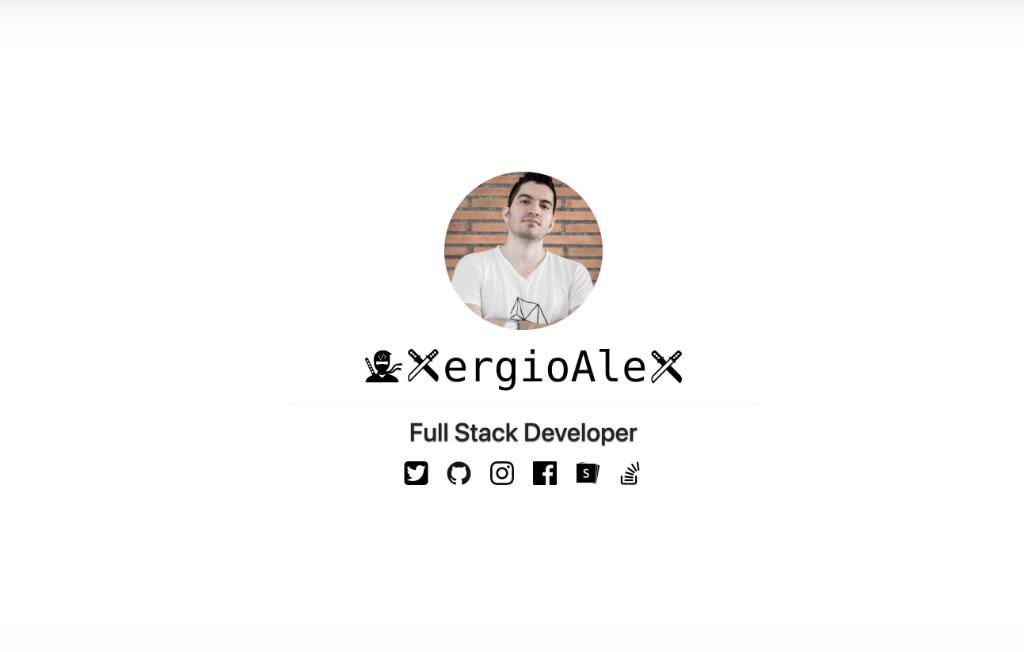
Super simple. Just a photo and links to my networks. It did the job, but it didn’t reflect what I’d actually been working on — DailyBot, Pereira Tech Talks, open source projects, dozens of tech talks, blog posts, trading experiments, hardware projects. I wanted a place that could hold all of that and still feel fast, clean, and easy to maintain.
I didn’t want a template. I wanted something built from scratch — something that represented both my technical approach and my personal brand.
The Brand Meets the Code
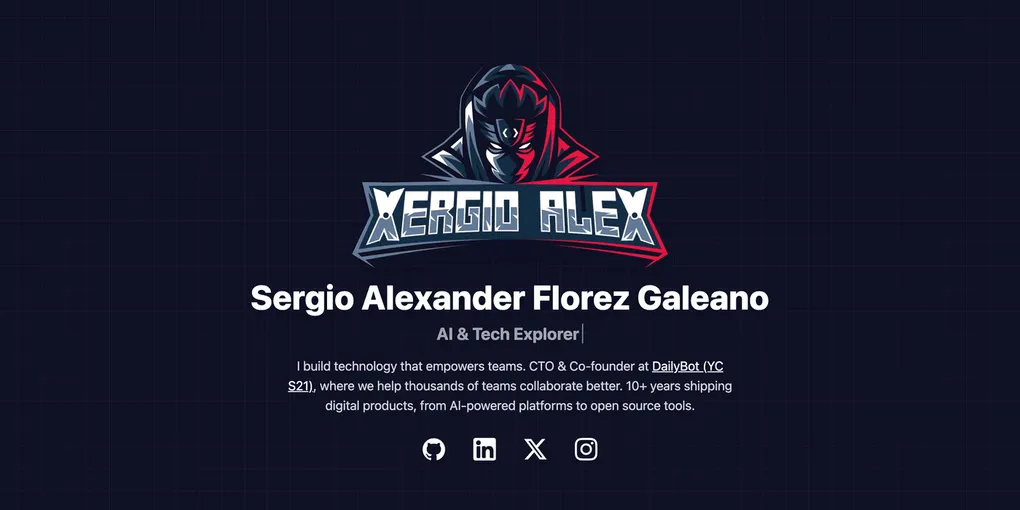
Before building the site, I’d already invested in something important: my personal brand. Working with designer Koru (Daniel Vasquez Correa), I developed the Ninja Coder identity — a brand with a complete visual system, from the ninja character with <> on its forehead to the shuriken X’s in the logotype, plus a carefully defined color palette.
That brand was sitting in a repo, waiting for a real home. Building this website was the opportunity to bring it to life. The deep ninja blue became the foundation of the dark theme. The bold red became the accent color you see on buttons, links, and interactive details. The ninja face became the favicon. The horizontal logo became what you see up in the header.
Basically, the entire visual identity of the site was born from that brand. It wasn’t “inspired by” — it was built directly on top of it. The colors, the typography, the overall tone, even the dark and light mode variants. It all comes from there.
Why Astro
I evaluated several frameworks before landing on Astro. Next.js, Gatsby, Hugo, Eleventy — they’re all capable. But Astro won because its philosophy aligned perfectly with what I needed: a content-heavy personal site that should be mostly static, insanely fast, and easy to extend.
Zero JavaScript by Default
This is Astro’s killer feature. Unlike React-based frameworks that ship a full runtime to the browser, Astro generates pure static HTML at build time. No JavaScript is sent to the client unless you explicitly ask for it. For a personal site and blog, most pages are just content — they don’t need a JavaScript runtime. The result: pages that load in milliseconds, not seconds.
Islands Architecture
When you do need interactivity — a search bar, a navigation menu, a theme toggle — Astro uses an islands architecture. Each interactive component is a self-contained island that hydrates independently. The rest of the page stays as static HTML. You control exactly when and how each island loads:
client:load— Hydrate immediately (for critical UI like navigation)client:visible— Hydrate only when the component scrolls into viewclient:idle— Hydrate when the browser is idle
This means I can have a page with 95% static content and one interactive search component, and only that search component ships JavaScript. Everything else is zero-cost HTML.
Content Collections
Astro has a first-class system for managing structured content. Blog posts are defined with Zod schemas that validate frontmatter at build time — title, description, publication date, hero image, layout variant, tags. If a post is missing a required field or has the wrong type, the build fails immediately. No runtime surprises.
const blog = defineCollection({
  schema: z.object({
    title: z.string(),
    description: z.string(),
    pubDate: z.coerce.date(),
    heroImage: z.string().optional(),
    heroLayout: z.enum(['banner', 'side-by-side', 'minimal', 'none']).default('banner'),
    tags: z.array(z.string()).optional(),
  }),
});
This gives me type safety across the entire content pipeline — from Markdown files to component props to rendered pages.
Built-In Everything
Routing, layouts, MDX support, image optimization, sitemap generation, RSS feeds — Astro handles all of this out of the box or through official integrations. I didn’t need to wire together a dozen independent packages. One framework, one configuration, one build command.
Why Svelte (and Why It’s a Perfect Match for Astro)
Astro is UI-agnostic — you can use React, Vue, Svelte, Solid, or plain HTML for your interactive components. I chose Svelte and it turned out to be a perfect complement.
Compiled, Not Runtime
Svelte’s core philosophy mirrors Astro’s: do the work at build time, not at runtime. While React ships a virtual DOM diffing engine to every user’s browser, Svelte compiles your components into minimal, surgical DOM operations during the build. The output is vanilla JavaScript — no framework overhead, no virtual DOM, no runtime library.
For an Astro site that already ships zero JavaScript by default, this matters enormously. When I do need an interactive island, Svelte ensures that island is as small as possible. The blog search component, the navigation header, the image lightbox — they all compile down to tiny bundles.
Truly Reactive with Less Code
Svelte 5 (which this site uses at version 5.50) introduced runes — a compiler-driven reactivity system that’s both more powerful and more intuitive than previous versions. State management is straightforward:
<script>
  let searchQuery = $state('');
  let results = $derived(posts.filter(p => p.title.includes(searchQuery)));
</script>
No useState, no useEffect, no dependency arrays. The compiler figures out what depends on what and generates the minimal update code. For interactive components in a content site, this simplicity is a genuine advantage — less code means fewer bugs and easier maintenance.
Small Bundle, Big Impact
Svelte components compile to an average of 30-40% less JavaScript than equivalent React components. On a site where every kilobyte of JavaScript is intentional (thanks to Astro’s zero-JS default), this difference is significant. The entire interactive layer of XergioAleX.com — 15 Svelte components covering search, navigation, lightbox, timelines, and more — compiles down to a fraction of what a single React runtime would weigh.
What Svelte Powers on This Site
Here’s exactly where Svelte brings interactivity to an otherwise static site:
Header.svelte— Sticky navigation with dropdown menus, language switcher, and responsive behavior. Uses the disclosure pattern for accessibility (notrole="menu").MobileMenu.svelte— Animated mobile navigation drawer with smooth open/close transitions.StaticBlogSearch.svelte— The blog listing orchestrator. Lazy-loads a Fuse.js search index viarequestIdleCallback, implements debounced search with result caching, and manages pagination in both browse and search modes.BlogCard.svelte— Post cards with WebP source switching, search highlight rendering, and lazy image loading.BlogImageLightbox.svelte— Full-featured image viewer using the native<dialog>element for accessibility (focus trapping, Escape key), prev/next navigation, and touch swipe support. Hydrated withclient:idleso it costs nothing on initial load.PortfolioTimeline.svelte,TechTalksTimeline.svelte,TradingTimeline.svelte,DailyBotTimeline.svelte— Interactive timelines for different portfolio sections.
Every one of these uses the lightest hydration directive that works. The lightbox uses client:idle. The header uses client:load because navigation needs to be interactive immediately. This granular control is what makes the Astro + Svelte combination so powerful.
The Full Feature Set
What started as “I need a better landing page” evolved into a full personal platform. Here’s what XergioAleX.com does today:
Bilingual (English & Spanish)
Every page exists in both languages with full route parity. English lives at / and Spanish at /es/. The i18n system is architected for scalability — adding a third language requires zero changes to existing components:
- Add the language code to a TypeScript union type
- Create a translation file (~950 lines of UI strings)
- Create thin page wrappers (3-line files that pass
lang="pt") - Create a blog content directory
The translation system covers everything — navigation, footer, all 12 specialized pages, blog UI (search, pagination, reading time, tags), error pages. Even dynamic strings like “3 results found” and “Page 2 of 5” are translated via functions that take parameters.
Dark Mode
System-aware theme detection with manual toggle and localStorage persistence. The implementation prevents the dreaded “flash of wrong theme” on page load by inlining the theme script in the HTML <head>. Both the light and dark themes are designed around the Ninja Coder brand palette.
Blog System
The blog is the heart of the site, built on Astro’s Content Collections with Markdown and MDX:
- 36+ posts in each language, spanning a decade of technical writing (2016-2026)
- Four hero layouts —
banner(full-width),side-by-side(image + title columns),minimal(thumbnail),none(text-only) — chosen based on image aspect ratio - Tag-based filtering with dedicated tag pages
- Client-side search powered by Fuse.js with fuzzy matching, debounced input, result caching (up to 50 entries), and search highlight rendering
- Pagination at 30 posts per page, working in both browse and search modes
- Related posts scored by shared tag count with fallback to latest posts
- Reading time estimation that strips code blocks and markdown syntax before counting words (200 words/minute)
- RSS feeds in both languages, automatically excluding demo posts
- Image lightbox for inline post images with keyboard navigation and touch swipe
Specialized Portfolio Sections
Beyond the blog, the site has dedicated sections with interactive timelines:
- DailyBot — The story of building an AI-powered async collaboration platform
- Tech Talks — History of presentations and community events
- Portfolio — Projects and technical work
- Trading — Trading journal and experiments
- Entrepreneur, Maker, Hobbies, Foodie — Other facets of life
Each section uses a shared timeline component pattern in Svelte, keeping the codebase DRY while allowing per-section customization.
SEO & Structured Data
Every page includes:
- Canonical URLs with
hreflangtags for all language variants (plusx-default) - Open Graph meta tags with 1200x630 images
- Twitter Card markup (
summary_large_image) - Three JSON-LD schemas per page:
WebSite,Person(withsameAslinks to GitHub, LinkedIn, X, Instagram), andOrganization(DailyBot) - XML sitemap (auto-generated, filtered to exclude internal pages)
- Pagination SEO (
rel="prev"/rel="next") robots.txtandllms.txtfor machine discovery
Accessibility
The site targets WCAG 2.1 AA compliance and a Lighthouse Accessibility score of 100:
- All text meets 4.5:1 contrast ratio (approved color pairings documented)
- Every image has explicit
widthandheightattributes to prevent layout shifts - Semantic HTML with proper heading hierarchy
- Keyboard-navigable interactive elements
- ARIA patterns: disclosure for dropdowns,
role="progressbar"for skill bars font-display: swapfor custom fonts (Atkinson Hyperlegible)
Architecture Deep Dive
The Page Wrapper Pattern
One of the key architectural decisions: every page is a thin 3-line wrapper. The actual page logic, layout, SEO metadata, and content live inside shared *Page.astro components in src/components/pages/. The wrappers in src/pages/ only handle routing and pass a lang string literal:
---
// src/pages/about.astro (English)
import AboutPage from '@/components/pages/AboutPage.astro';
---
<AboutPage lang="en" />
---
// src/pages/es/about.astro (Spanish)
import AboutPage from '@/components/pages/AboutPage.astro';
---
<AboutPage lang="es" />This means every page’s content, translations, and layout exist in one place. Adding a new language means adding a new 3-line wrapper — no component changes, no logic duplication. The site currently has 52 page files but only 13 distinct page components.
Performance Architecture
Performance isn’t a feature — it’s a core architectural value:
build.inlineStylesheets: 'always'— All CSS is inlined directly into HTML, eliminating render-blocking stylesheet requests entirely- Aggressive caching via Cloudflare — Hashed assets get 1-year immutable cache, fonts get 1-year, images get 30 days, HTML always revalidates
- WebP generation pipeline — A prebuild step automatically generates WebP variants for all images (homepage, blog shared, and per-post) using Sharp
- Font preloading — Atkinson Hyperlegible woff files are preloaded in
<head>withfont-display: swap - Lazy loading everywhere — Below-fold images use
loading="lazy", Svelte islands useclient:visibleorclient:idle - Zero render-blocking JS — Theme detection is the only inlined script, and it’s tiny
Image Optimization Pipeline
Images go through a dedicated staging workflow built on Sharp:
- Drop raw images in
public/images/blog/_staging/with naming convention{slug}--{name}.{ext} - Run
npm run images:optimize - The script auto-detects presets by aspect ratio: heroes resize to 1400x700, square images to 800x800, inline images to 1200px wide
- JPEG quality 80, PNG-to-JPEG conversion at quality 85, optional WebP at quality 80
- Outputs move to
public/images/blog/posts/{slug}/
The prebuild step (npm run prebuild) then generates WebP variants for all blog images automatically before every production build.
Testing
The project uses Vitest with @testing-library/svelte for testing:
- Unit tests for blog utilities (post slugs, pagination, filtering, reading time)
- Unit tests for the i18n system (language detection, URL generation, locale handling)
- Unit tests for the translation system (completeness, key parity across languages)
- Unit tests for the search API (post serialization, demo filtering)
- Component tests for Svelte components (BlogCard rendering, BlogPagination behavior)
- Coverage target: 80%+ on
src/lib/
A Generative Web: Built for Humans and AI
One of the design goals that makes this project a bit different: the site is generative — structured to be discoverable, readable, and extensible by both humans and AI systems.
Machine-Readable Discovery
llms.txt— A machine-readable summary of the site at the root, following the emerging standard for LLM-friendly websites. Includes site structure, author info, and a link tollms-full.txtfor the comprehensive version.- JSON-LD on every page — Three structured data schemas (Person, WebSite, Organization) so search engines and AI systems can extract structured information.
- Semantic HTML throughout — Proper heading hierarchy, landmark elements, and semantic tags that make content parseable.
The AGENTS.md System
The entire repository is documented through AGENTS.md — a single source of truth for all AI coding assistants (Claude Code, Cursor AI, GitHub Copilot, Codex, Gemini). It contains:
- Architecture patterns with code examples
- Mandatory coding standards and import conventions
- Multilingual synchronization rules
- Performance and accessibility requirements
- Common mistakes to avoid (28 don’ts, 28 dos)
- A pre-commit checklist
This means any AI agent can pick up the project and contribute following the same standards. The documentation is designed to scale with the project.
Skills & Agents System
Beyond documentation, the repository includes a complete Skills & Agents system — reusable procedures and specialized personas that AI assistants can invoke:
14 Skills (slash commands): quick-fix, add-blog-post, translate-sync, write-tests, fix-lint, type-fix, refactor-safe, security-check, add-page, add-component, update-styles, doc-edit, git-commit-push, pr-review-lite
6 Agents (specialized workers): architect (system design), content-writer (blog posts), executor (task implementation), reviewer (code review), i18n-guardian (translation quality), security-auditor (security review)
Each skill and agent has a defined model tier (cheap/standard/frontier) to optimize for cost and latency. The result: AI assistants can create blog posts, synchronize translations, run security audits, and review code — all following the project’s standards automatically.
Internal Development Hub
The site includes a dev-only Internal Hub at /internal/ with 17 pages across three pillars:
- UI Design System (11 pages) — Visual reference for colors, typography, spacing, radius, buttons, badges, cards, forms, layouts, and brand tokens
- Staff Guide (4 pages) — Tech stack documentation, file structure, naming conventions, and performance guidelines
- Auto-Generated Sitemap — Build-time discovery of all site pages
The hub is automatically excluded from production builds through a three-layer system: a post-build deletion hook, sitemap XML filtering, and noindex meta tags. It exists purely as a reference for developers and AI agents working on the project.
The Tech Stack
| Layer | Technology | Version | Role |
|---|---|---|---|
| Framework | Astro | 5.17 | Static site generation, routing, content collections |
| Interactive UI | Svelte | 5.50 | 15 interactive island components |
| Styling | Tailwind CSS | 4.1 | Utility-first styling with dark mode via Vite plugin |
| Content | Markdown + MDX | — | Blog posts with rich formatting |
| Type Safety | TypeScript | 5.9 | End-to-end type checking |
| Linting | Biome | 2.3 | Fast linter and formatter (replaced ESLint + Prettier) |
| Search | Fuse.js | 7.1 | Client-side fuzzy search |
| Images | Sharp | 0.34 | Build-time image optimization and WebP generation |
| Testing | Vitest | 4.0 | Unit and component testing |
| Hosting | Cloudflare Pages | — | Global CDN with automatic deployments |
Deployment is fully automated: every push to main triggers a Cloudflare Pages build. The pipeline runs astro check (TypeScript validation), generates WebP images, and builds static HTML. Cloudflare serves the dist/ folder from its global edge network. The site is live at xergioalex.com within minutes of a push.
By the Numbers
| Metric | Value |
|---|---|
| Astro components | 48 |
| Svelte interactive islands | 15 |
| Page components | 13 distinct pages |
| Route files | 52 (EN + ES wrappers) |
| Blog posts | 36+ per language |
| Translation strings | ~950 per language |
| Internal hub pages | 17 |
| AI skills | 14 |
| AI agents | 6 |
| Public images | 226 files |
| Test files | 6 |
From One Page to a Platform
Going from a single landing page with a photo and five social links to a full personal platform was a deliberate choice. I wanted a place that could grow with my work — more projects, more posts, more languages, more ideas — without becoming a maintenance burden.
Astro made the foundation possible: static, fast, content-first. Svelte made the interactive parts feel native and lightweight. Together they form a combination that’s hard to beat for content-driven sites — you get the performance of static HTML with the richness of a modern component framework, and you only pay for interactivity where you actually need it.
The brand gave it a soul. The AI-ready architecture gave it a future.
If you’re thinking about building your personal site, I’d recommend giving this stack a try. And if you’re curious about the implementation, the whole thing is open source.
Repository: xergioalex/xergioalex.com Live site: xergioalex.com Brand assets: xergioalex/personal-branding
Let’s keep building.